Um aus einem AD User einen MailUser mit externer Mailadresse zu machen, ist folgender PowerShell Befehl in der Exchange Management Shell anzuwenden.
Enable-MailUser -Identity John -ExternalEmailAddress john@contoso.com
Autor: Christoph Drabke
Powershell Script zur Gruppenrichtlinien-Verarbeitung
Systemvoraussetzungen:
– Win7 / Win2008 R2 / Windows 8 / Server 2012
– WinRM aktiv
– Powershell im Admin-Modus
Übergabeparameter:
- .\GPAnalyser.ps1 -Analyse
- .\GPAnalyser.ps1 -Analyse -Computer <MyComputer>
- .\GPAnalyser.ps1 -Analyse -Computer <MyComputer> -ShowLastHours 24
Kurze Einführung:
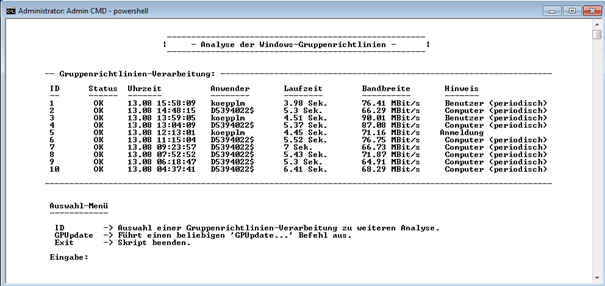
Es gibt ein kleines Hauptmenü in dem alle GP-Verarbeitungen der letzten 12h angezeigt werden.
Über die Eingabe der jeweiligen „ID“ gelangt man zu einer genaueren Analyse dieser GP-Verarbeitung.
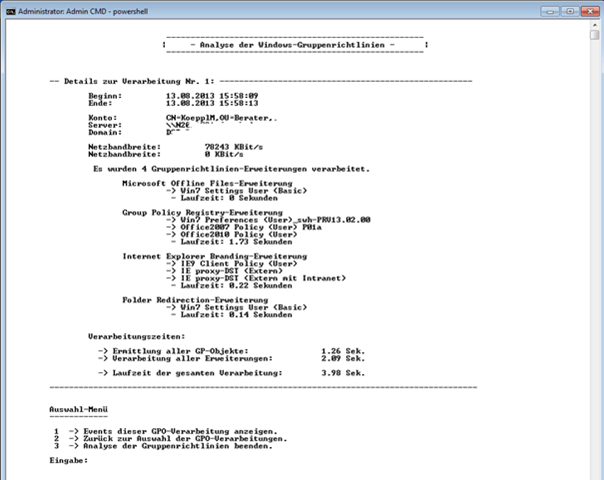
Ist eine GP-Verarbeitung ausgewählt, gelangt man passend zu dessen Analyse.
Hier gibt’s viel zu sehen, ggf. fehlt auch noch die eine oder andere Information, wir sind mal gespannt was euch noch dazu einfällt.
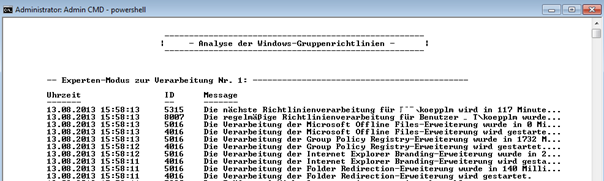
Anschließend gibt’s noch einen Experten-Modus der alle Events dieser Verarbeitung auflistet, diese Ansicht kann auch in Notepad geöffnet werden.
Sophos UTM: How to remotely reboot a UTM-managed Sophos Access Point
- Log into the command line interface (CLI) as follow:
- Enter the user-name: loginuser
- Enter loginuser password
- Type su for superuser
- Enter root password
- Type the following command to connect to the Access Point’s console from the UTM’s console:
awetool - Note: The above command can be used only after successful login with root user.
- The following screen appears:

- Some user may need to select Add firewall rule to allow SSH traffic to the access point

- Select option 1 to list the available APs.
- Select the AP you would like to reboot.
- Click on Ok.
- The below screen appears, type there y to connect to the AP.

- You’re now connected to the AP.
- Type the command to
rebootto restart the AP
