Um eine SharedMailbox zu löschen deren Azure Active Directory (Entra ID) nicht mehr vorhanden ist, bin ich wie folgt vorgegangen.
- Versuch:
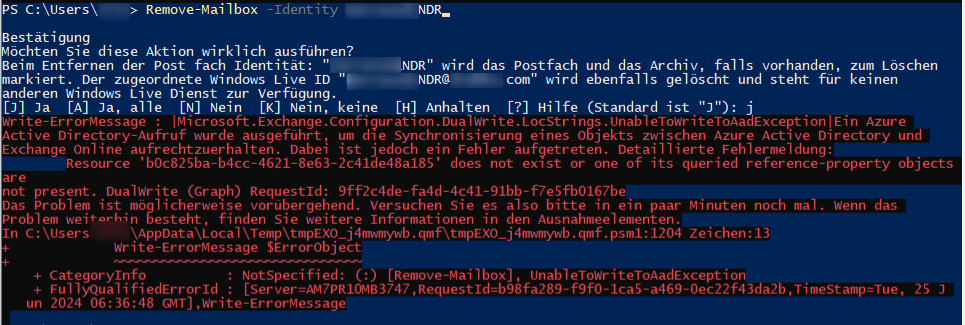
- Remove-Mailbox -Identity „MAILBOXNAME“
- brachte den folgenden Fehler
- 2. Versuch:
- Set-User „Mailboxname“ -PermanentlyClearPreviousMailboxInfo
Confirm
Are you sure you want to perform this action?
Delete all existing information about user Identity:’MAILBOXNAME‘?. This operation will clear existing values from Previous home MDB and Previous Mailbox GUID of the
user. After deletion, reconnecting to the previous mailbox that existed in the cloud will not be possible and any content it had will be unrecoverable PERMANENTLY. This operation
will also create an async task to purge all the mail data. You can check the status by running ‚Get-User | fl Workload‚ and check if DesiredMailboxWorkloads is set to
null. Do you want to continue? Y
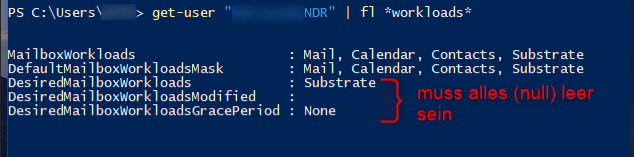
mit Get-User „MAILBOXNAME“ | fl *workloads*
kann dann geprüft werden ob die erforderlichen DesiredMailboxWorkls auf (null) sind bzw. ob die Mailbox dann gelöscht wurde.